Markdown to HTML (md to html)

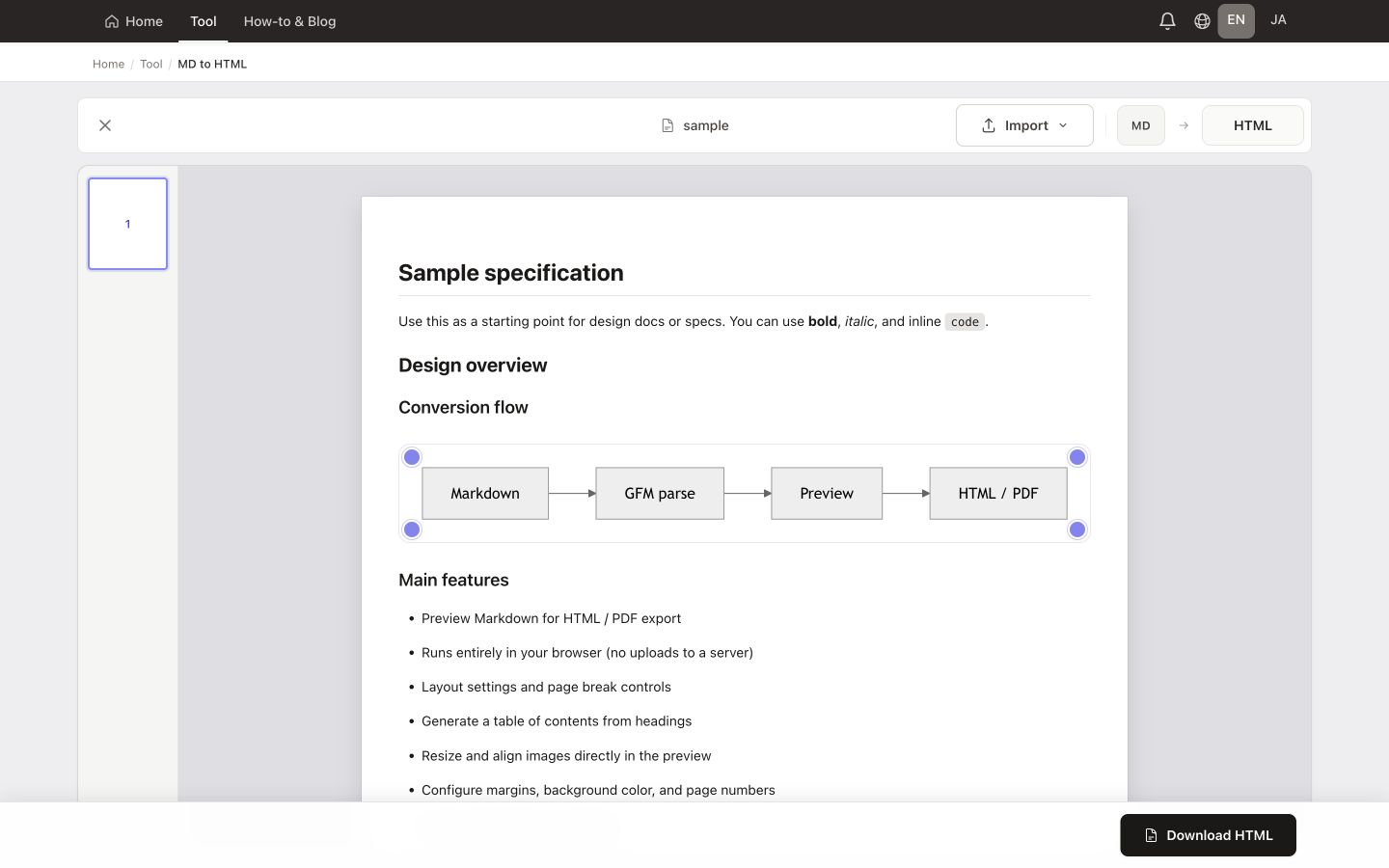
A free online Markdown to HTML converter. Everything runs in your browserfiles are not uploaded to our servers. Use live preview, then download HTML.

Type Markdown in the editor below to start converting right away.

By using this tool, you agree to the Privacy Policy and Disclaimer.

All processing is done in your browser. Your files are not uploaded to any server.

Drop a .md file here or choose one with the button

Max 10MB

Features

Why use this converter

A free online Markdown to HTML converter. Everything runs in your browser—files are not uploaded to our servers. Use live preview, then download HTML.

  • Live Markdown-to-HTML conversion with instant preview

    Live Markdown-to-HTML conversion with instant preview

  • No server upload for conversion

    processing stays in your browser

  • Download a complete HTML document you can open locally

    Download a complete HTML document you can open locally

  • For PDF

    page breaks you drag, optional cover templates, and a TOC page from headings (Markdown to PDF)

  • GitHub Flavored Markdown (GFM) support

    tables, fenced code, task lists, and more

How it works

How to use

  1. Paste Markdown or choose a .md file
  2. Check the preview (or Split view) to verify the rendered HTML
  3. Click Download HTML to save a standalone file—you can include styled HTML from your layout settings, or copy markup only from the output area

Tips & use cases

Common use cases

  • Turn specs and design docs into HTML before pasting into a portal or wiki
  • Convert README.md for sharing outside Git hosting
  • Draft and outline blog posts and technical articles
  • Produce print/PDF handouts—when pagination matters, prefer the Markdown-to-PDF flow
  • Export portable HTML for email, archives, or CMS paste-in workflows

Ready to convert Markdown to HTML?

Paste or open a .md file, check the live preview, then download a standalone HTML file—no upload required.

Open Markdown to HTML

Free · Runs in your browser · Your file stays on your device

FAQ

Do you support GitHub Flavored Markdown (GFM)?
Yes—pipe tables, fenced code blocks, task lists, and common GFM features work as expected.
Can I use LaTeX math?
Not at this time. We may add math support in a future update.
Are my files sent to a server?
No. Conversion and preview run locally in your browser; we do not upload your Markdown file content to our servers for processing (see the Privacy Policy for details).
Can I export styled HTML with CSS?
Yes. You can download HTML that includes styles aligned with your layout and preview settings.
Can I make a PDF?
You can print or save as PDF from the browser. For drag-and-drop page breaks and print layout tuning, use our Markdown to PDF tool on this site.
Is it free? Do I need an account?
It’s free and no account is required.